How to Use AI Models for Programming: A 6-Step Guide
Step 1: idea and prompting
First "think of the rough structure of any website niche " and important features of your website. keep your mind clear and think a goal, and then explain this idea to a chatbot AI (like Gemini or ChatGPT). The AI will then give you different ideas and suggestions to create a site on your chosen topic.
Step 2: Selecting Niche and Collecting Data
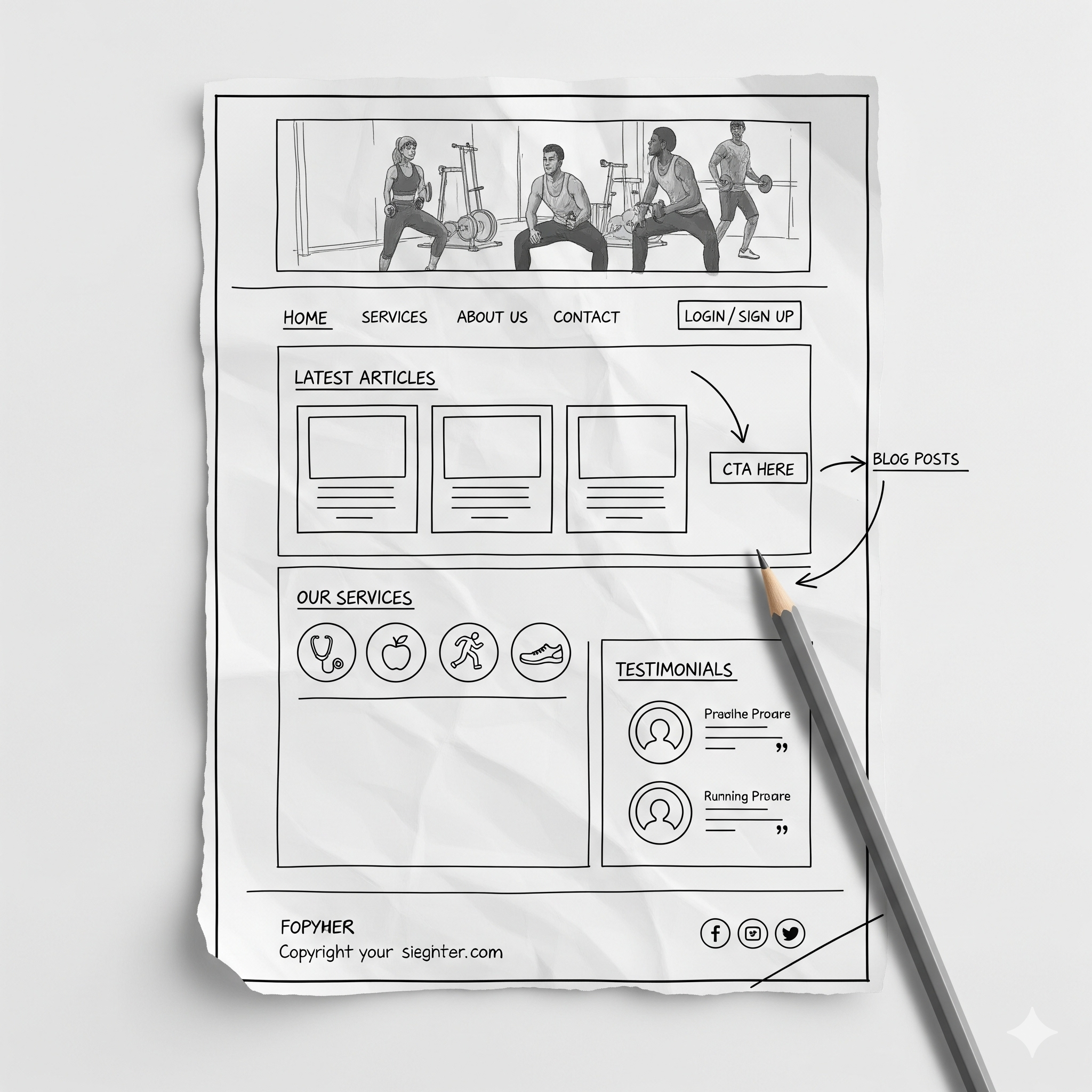
Select an idea that is on trending in digital world and relevant to the digital industry (e.g., health, trading, or finance, bloging or adultation). Then collect all necessary data for your site: pictures, videos, and other required assets. Create a rough structure imga for your site from text-to-image AI model.
**Tip:** Use a prompt like: create me a rough structure of an HTML site that is about [e.g: "a health-related blog" etc]. This will create an image like the one below:
Example Structure Image:
Step 3: Code Generation By Prompt
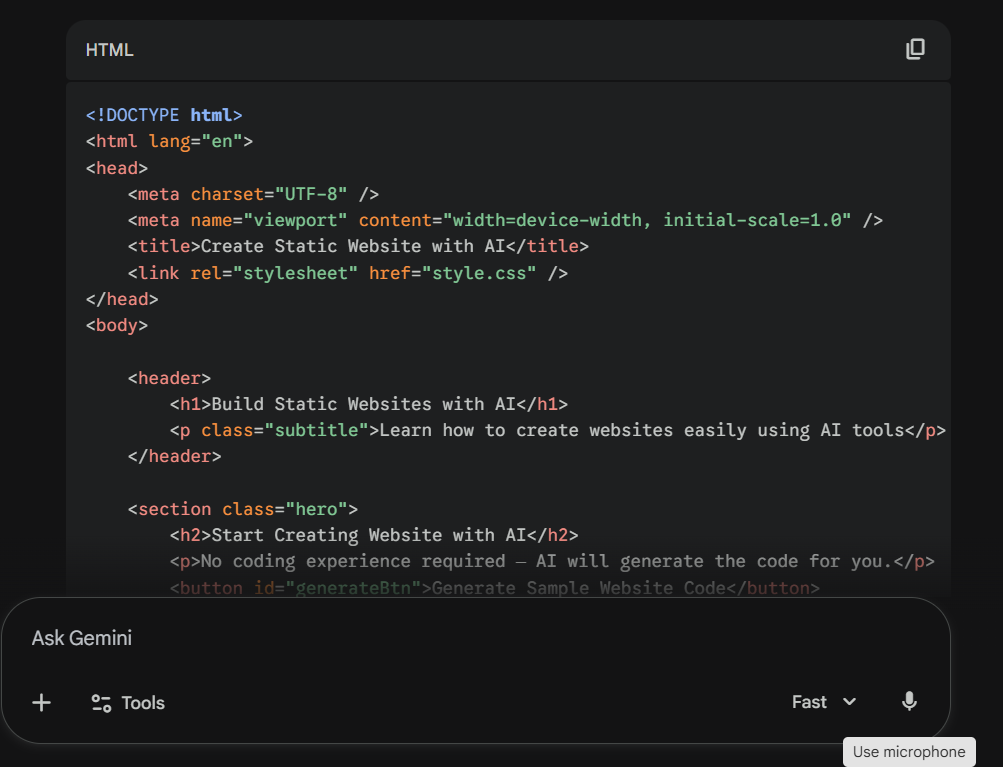
Now, upload your collected assets, including the structure photo, to your chosen AI model. **Explain all topics step-by-step** in a detailed prompt, specifying:
- The desired **layouts** (e.g., two columns, responsive).
- Specific colors for **text**, **headings**, and the **background**.
- The required **text-size** and overall dimention (top to bottom).
The AI will generate the code according to your given instructions in seconds.
Step 4: Setting Up The COde Editor
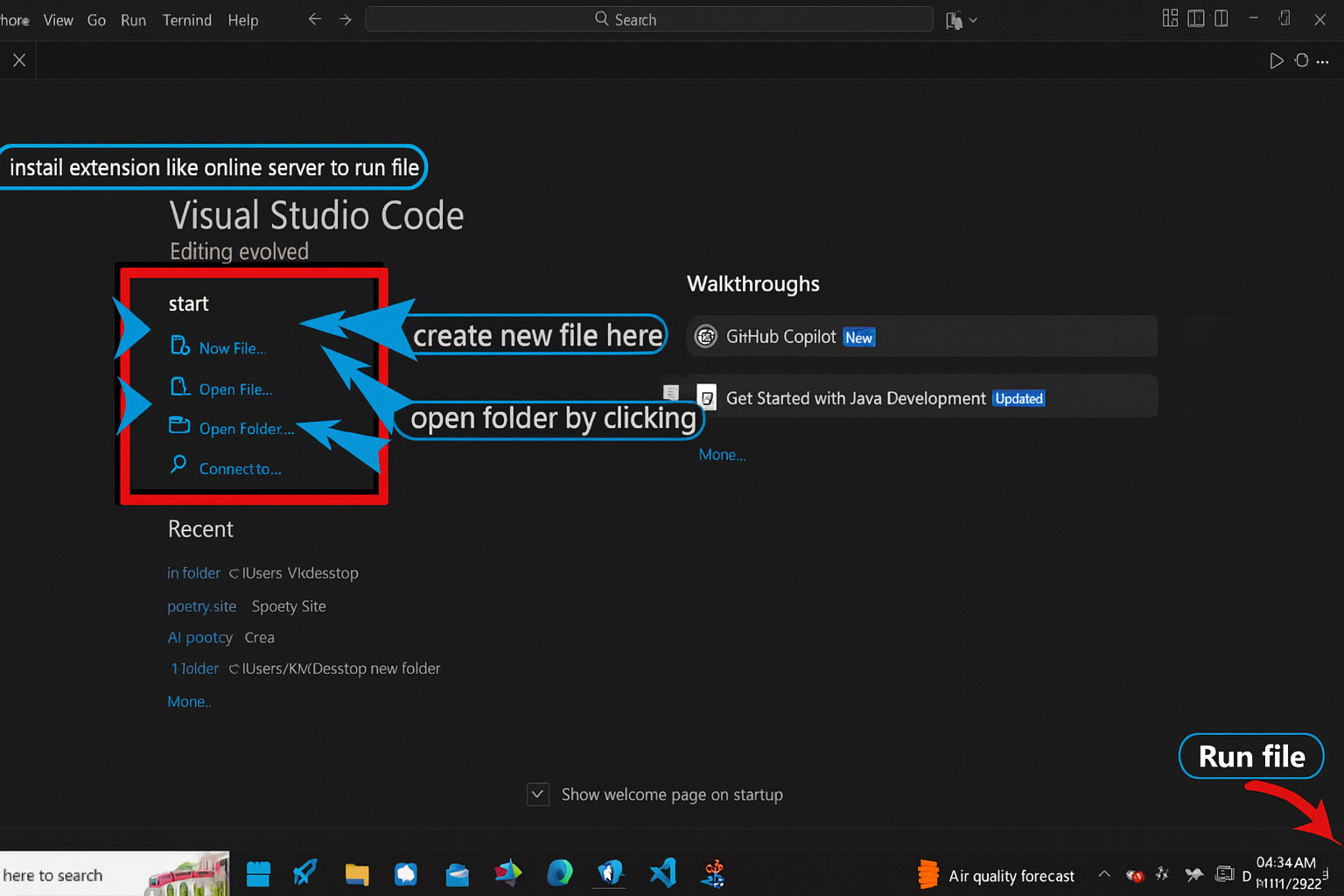
This is the initial setup step. Install a code editor like **Visual Studio Code** (Download VS Code) or any other code editor.
Create a project folder, then create new files with `.html` and `.css` extensions.
Copy the code generated code by AI and paste it in your .html .css or.js files.
Install the **Live Server** extension in VS Code's extension tab and run your HTML file on the browser to see the result.
Step 5: Debugging & Rechecking
***AI generated code is perfact*** But there are sometime errors in code generated by AI. See errors in your code by html page that is already running on browser. ,
Also see the the responsiveness of website or page on diff devices like |Mobile OR Teblet|
If error exist then ask for fixing.
`Link the image correctly, increase font size to 20px and use hover effect on btn."`You can also ask an Ai to
fix queries code
Repeat the process untill you cannot obtain results according to your exception.
Step 6: Final Deployment OR Hosting
Once you are satisfied with site layout and whole structure then the final step is to **deploy it on internet** so the world can see it. Things you need for hosting:
- A *Domain Name* (e.g., mysite.com).
- **Web Hosting** (services like Netlify, Vercel, GitHub Pages, or traditional hosting).
Upload your HTML, CSS, and image files to your chosen hosting provider. Once uploaded, your site will be live and ready!